

Overview
Step 1: Create the booking
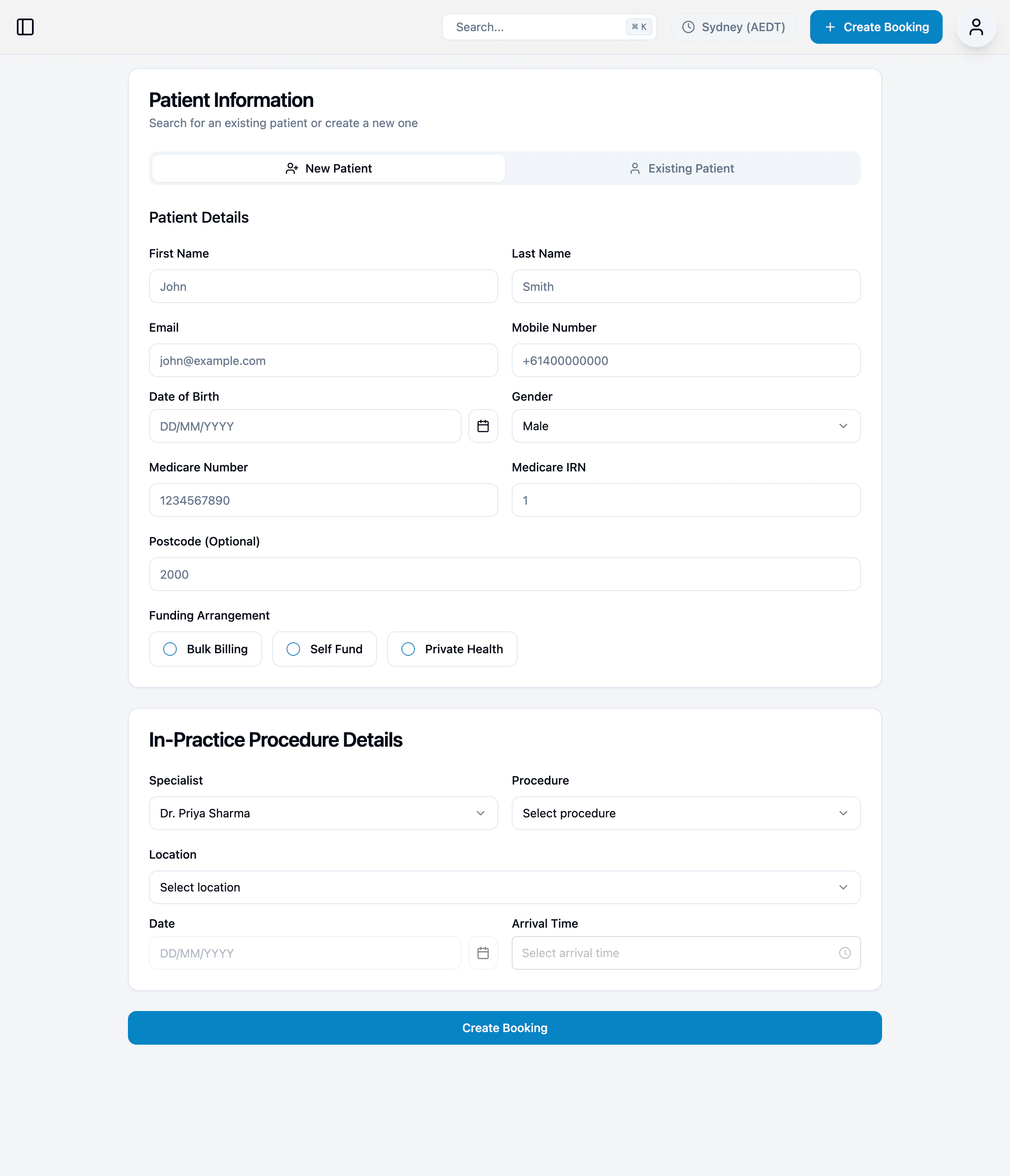
- Click + Create Booking (in the nav or on the Bookings page)
- Enter patient details:
- Name, email, mobile number, date of birth
- Gender
- Medicare number and IRN
- Postcode
- Funding arrangement (bulk billing, self fund, or private health fund)
- Enter procedure details:
- Specialist
- Location
- Procedure type
- Date
- Arrival time (optional)
- Click Create Booking
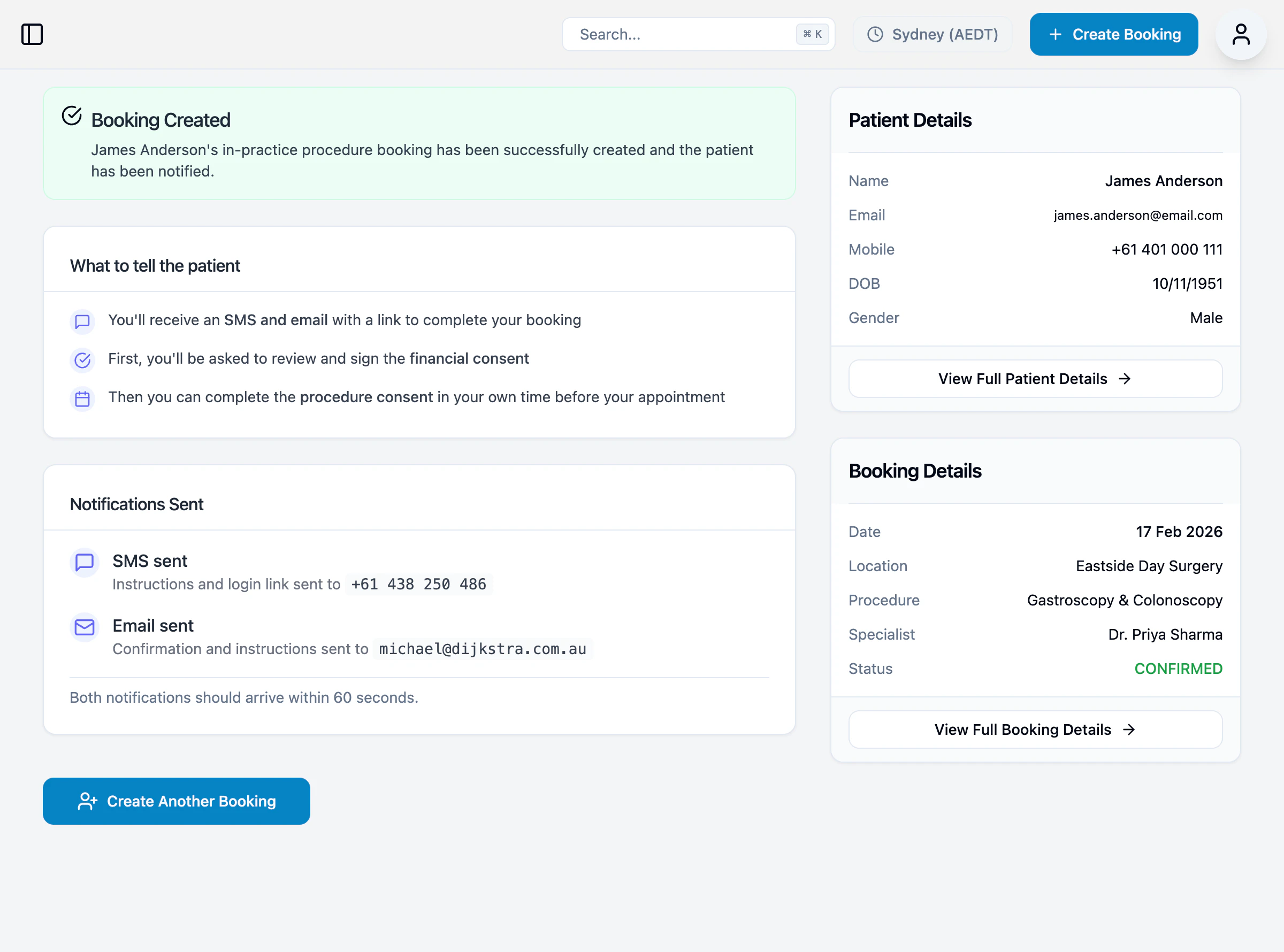
Once created, the booking will have the status Confirmed.
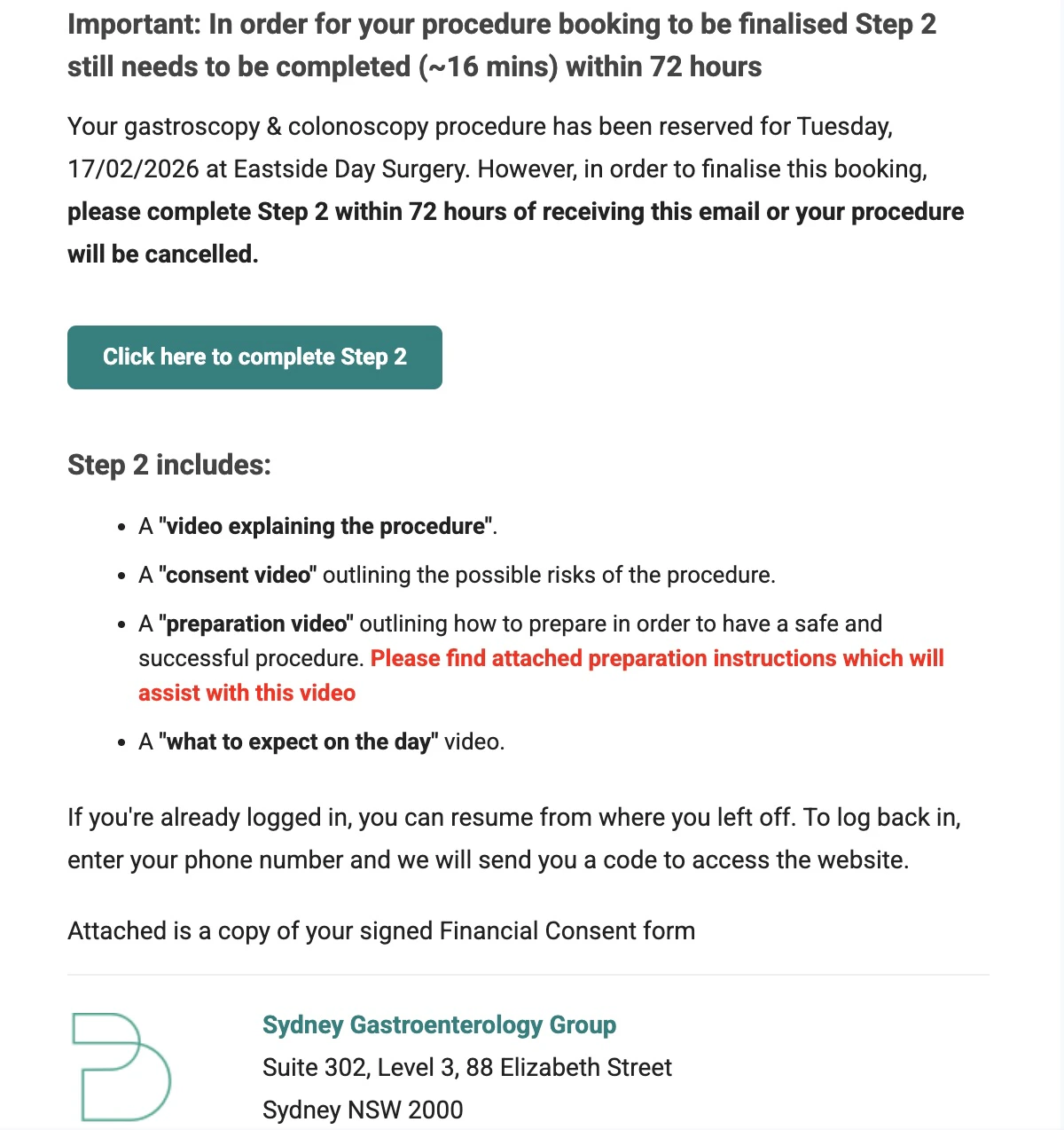
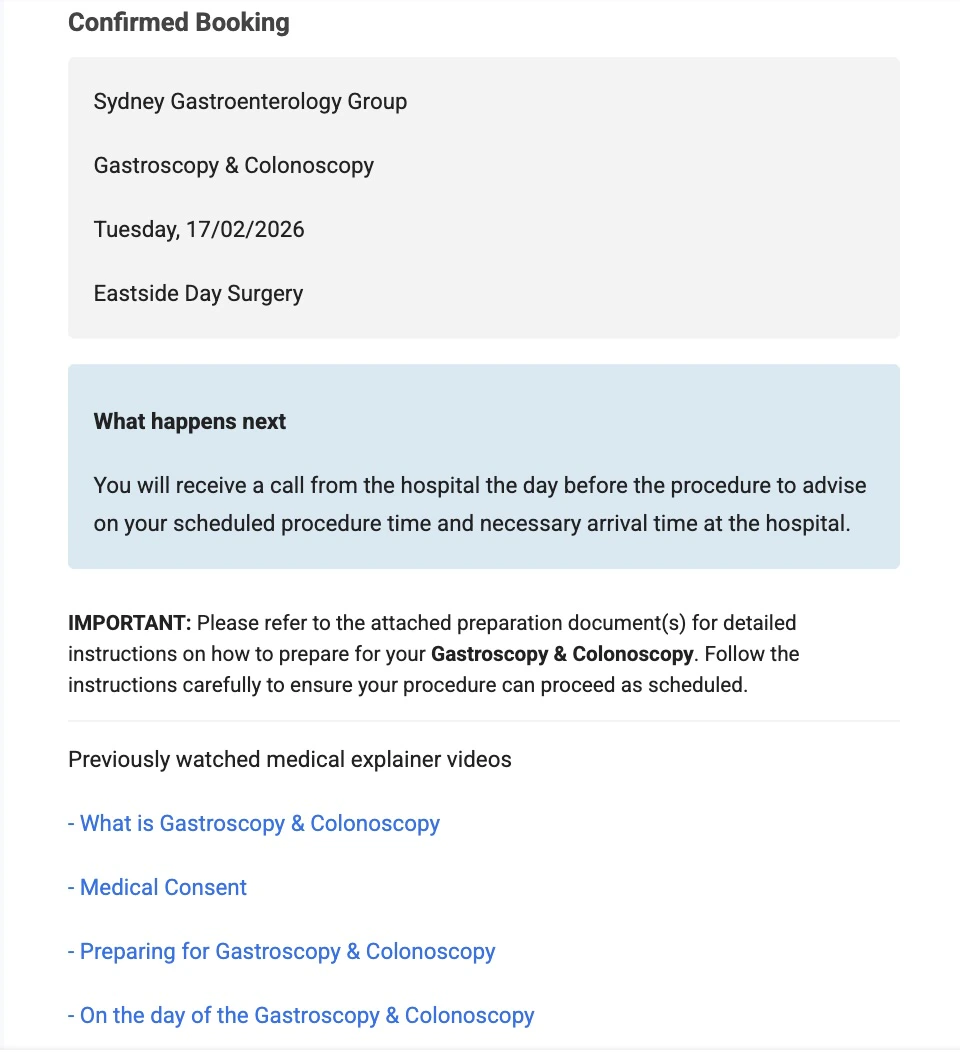
Step 2: Patient receives SMS and email
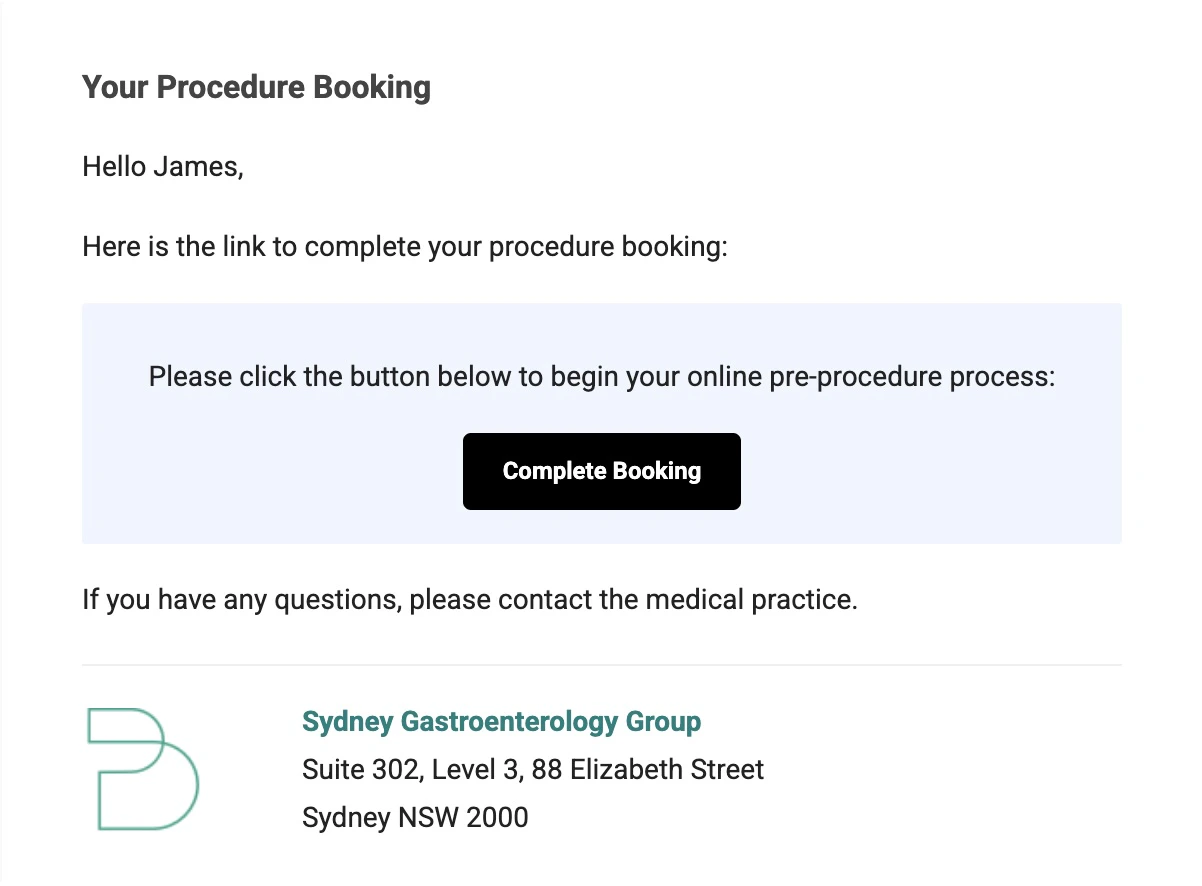
Patient receives an SMS and email with a link to the booking portal. SMS:Welcome James to OpSync! Your account has been created. Please log in using this link: https://portal.opsync.com.au/sydney-gastro/signin?prefillPhone=0401000111Email:
Step 3: Patient completes financial consent
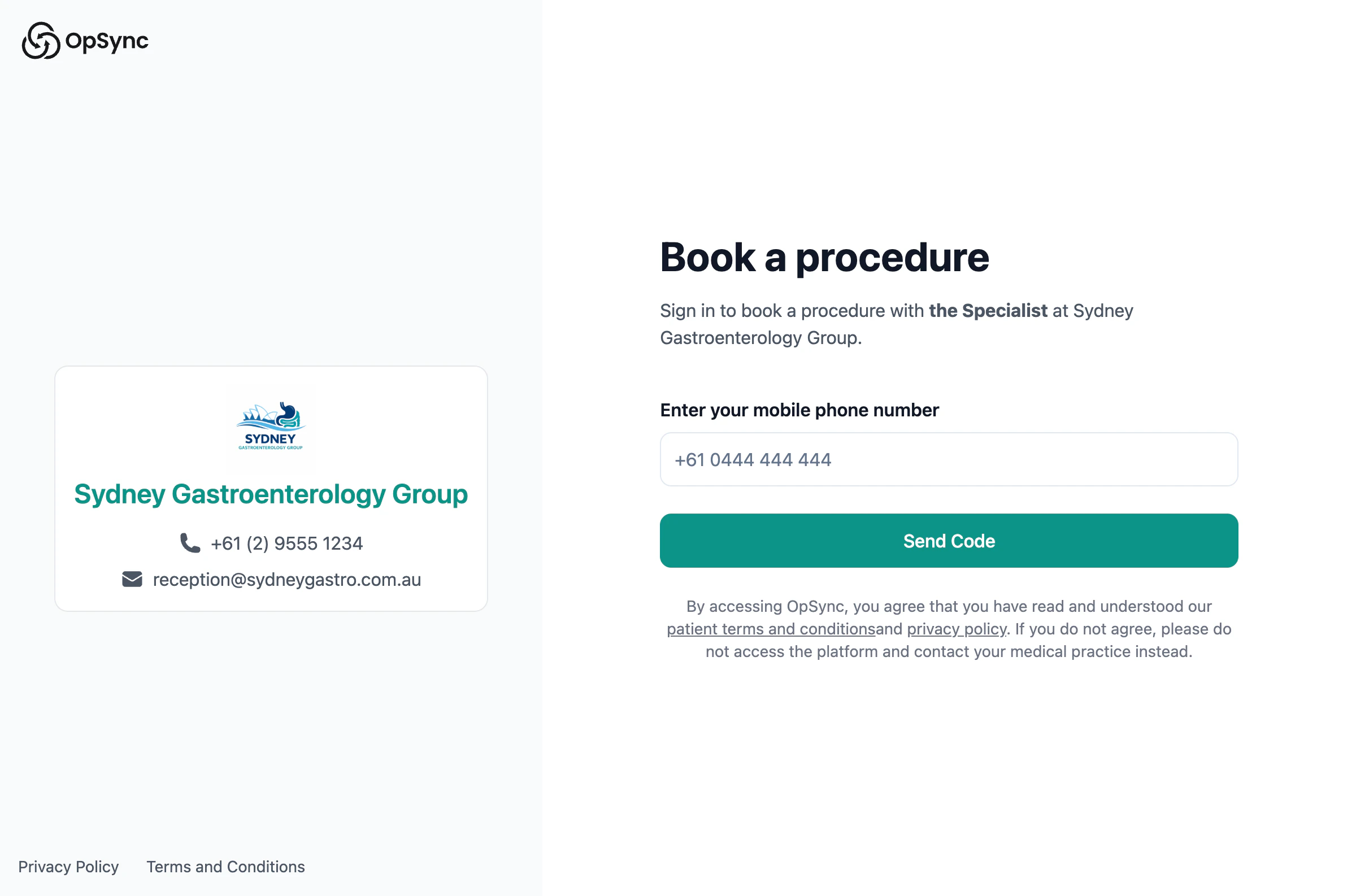
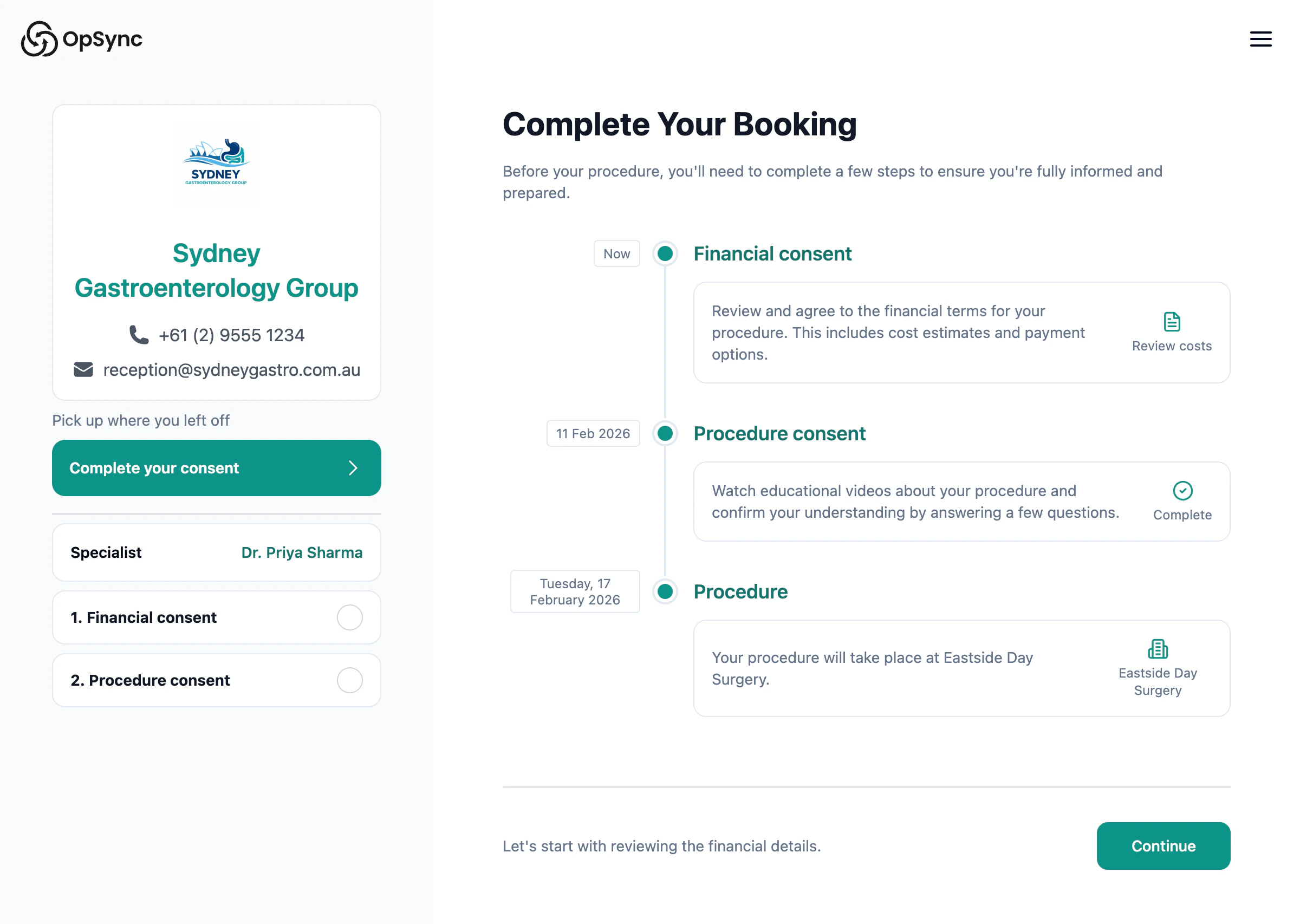
- Patient signs in with their mobile number
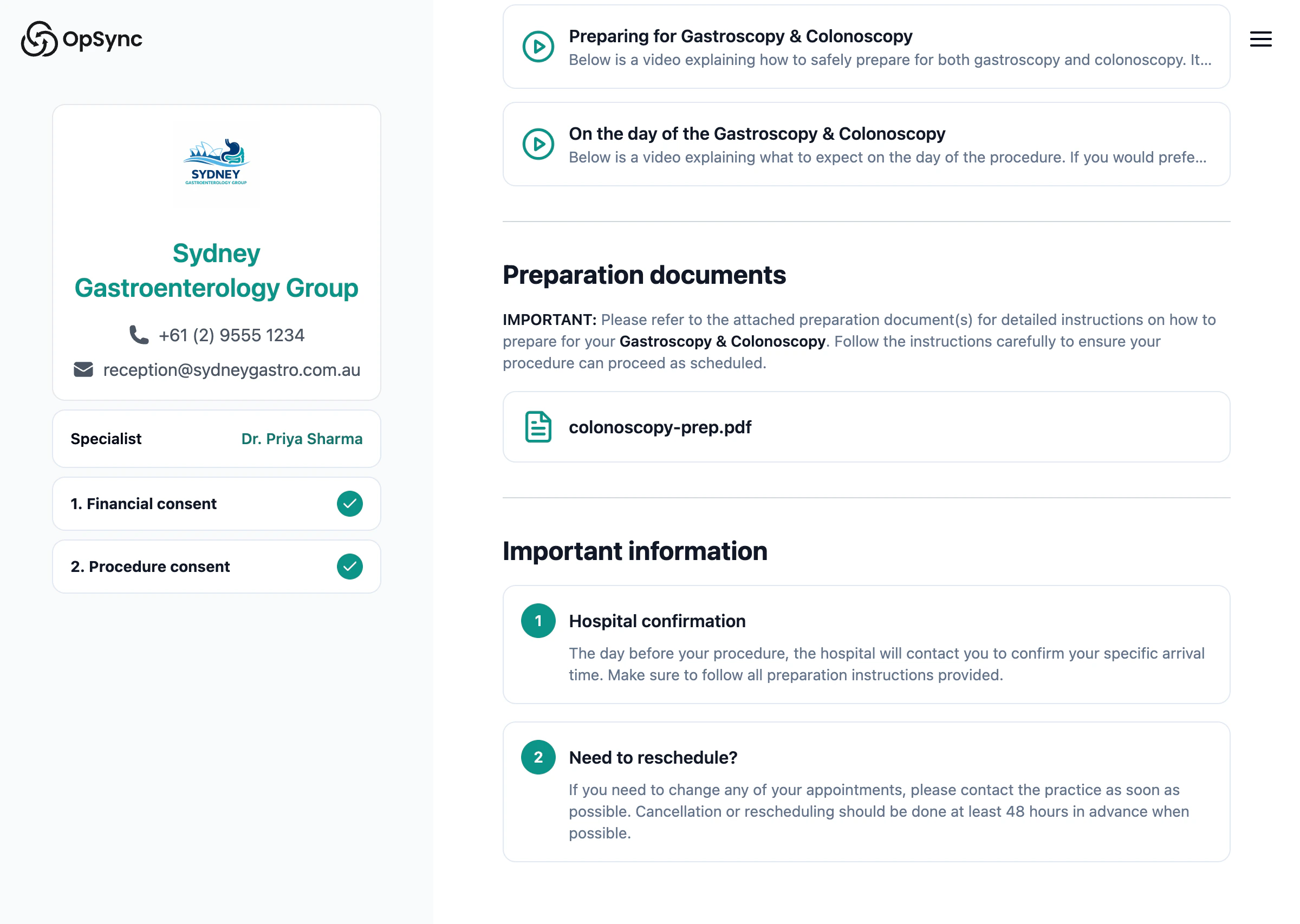
- Reviews the steps to complete
- Reviews costs and signs financial consent
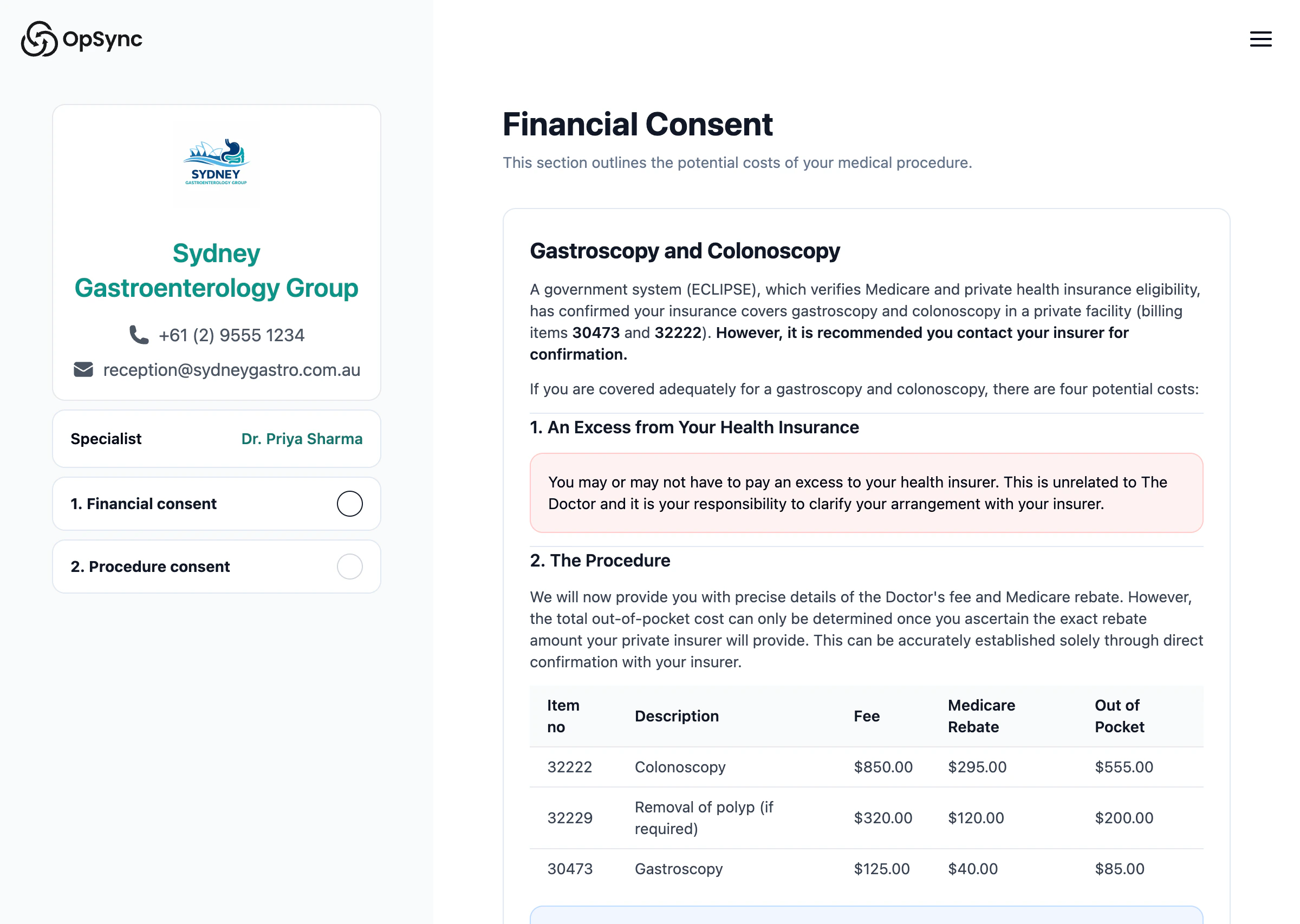
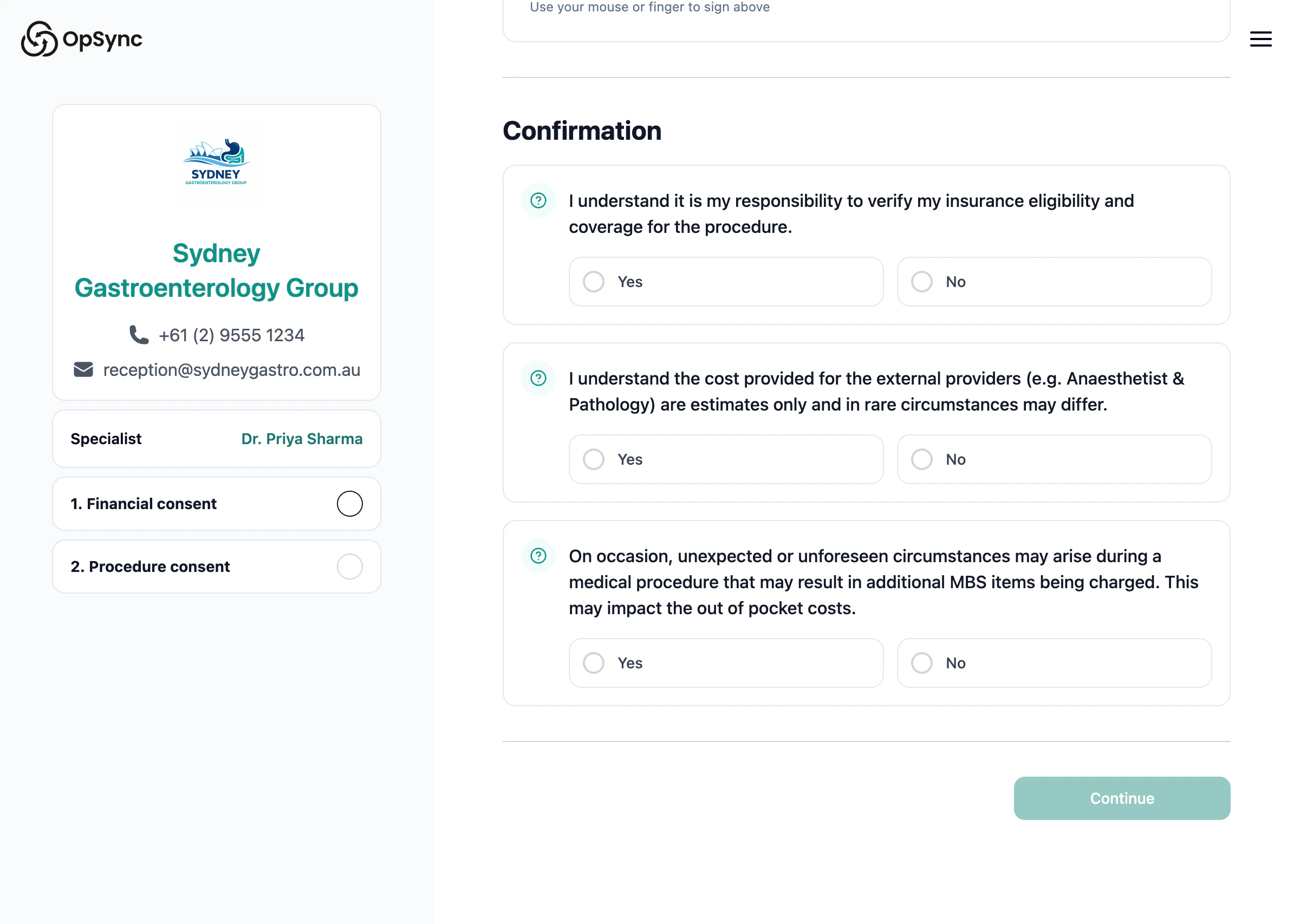
A PDF is automatically generated and attached to the booking. View example consent PDF
Patient can continue now or pause and return later.
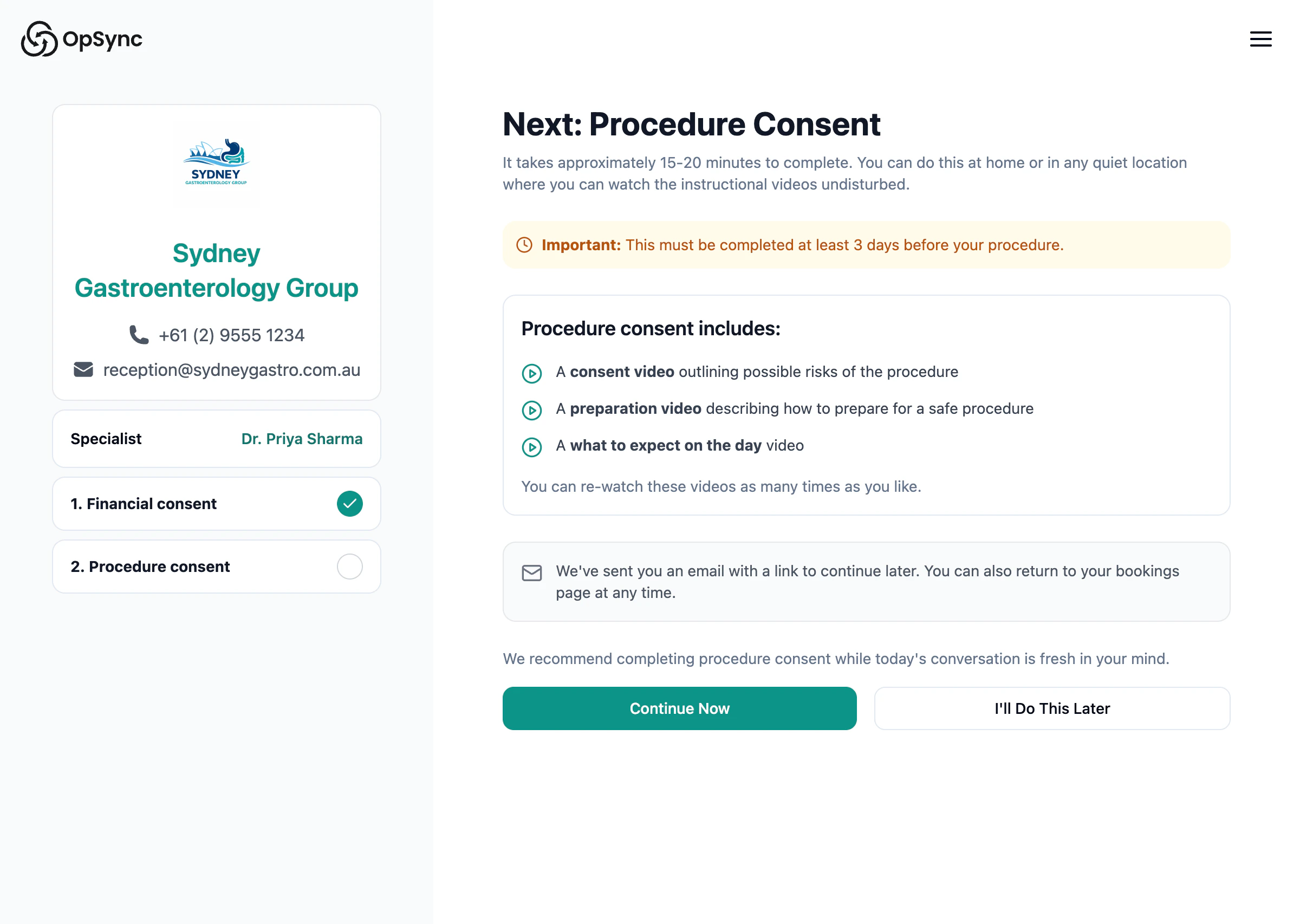
Step 4: Patient completes procedure consent
- Patient watches procedure videos
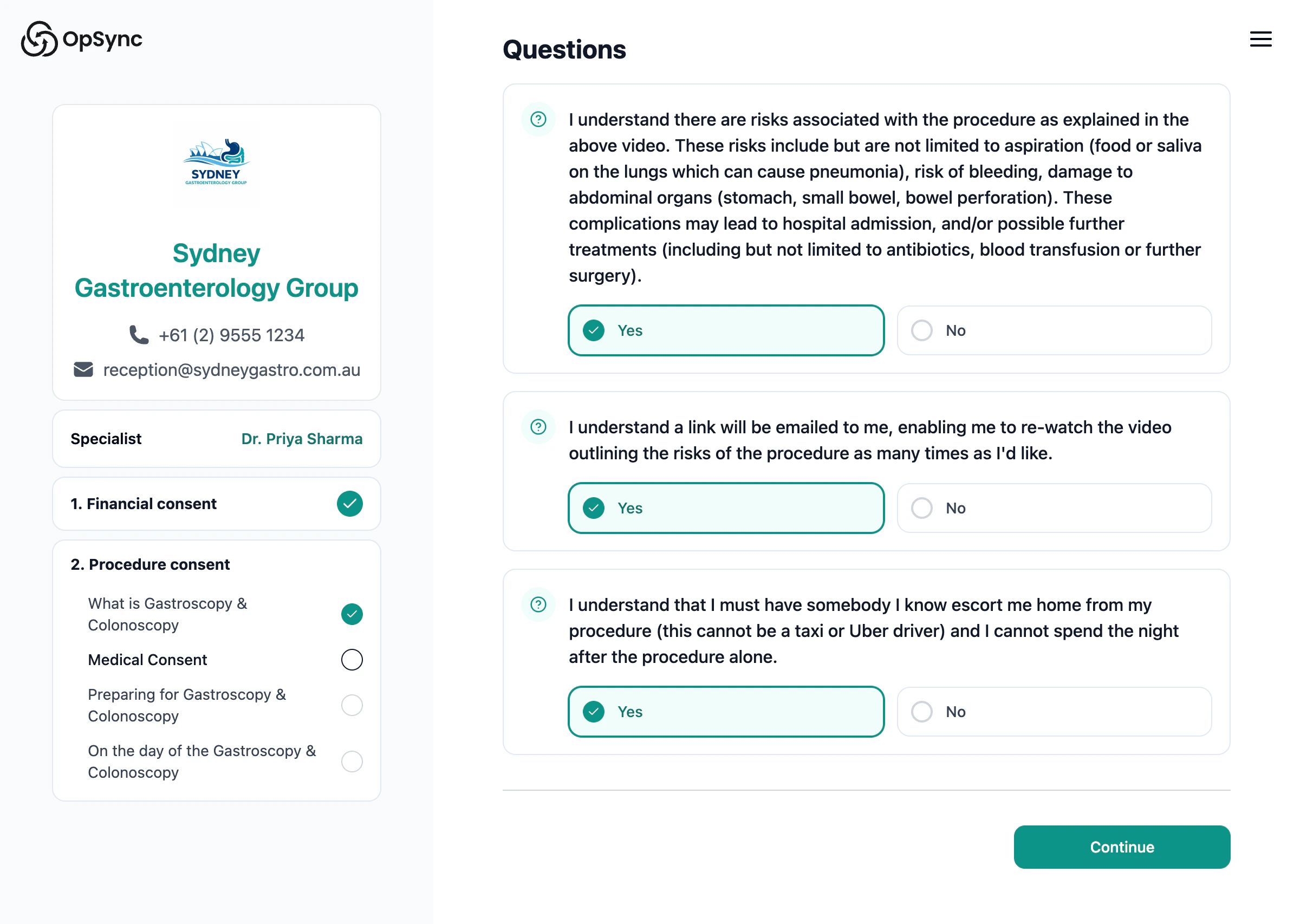
- Answers understanding questions
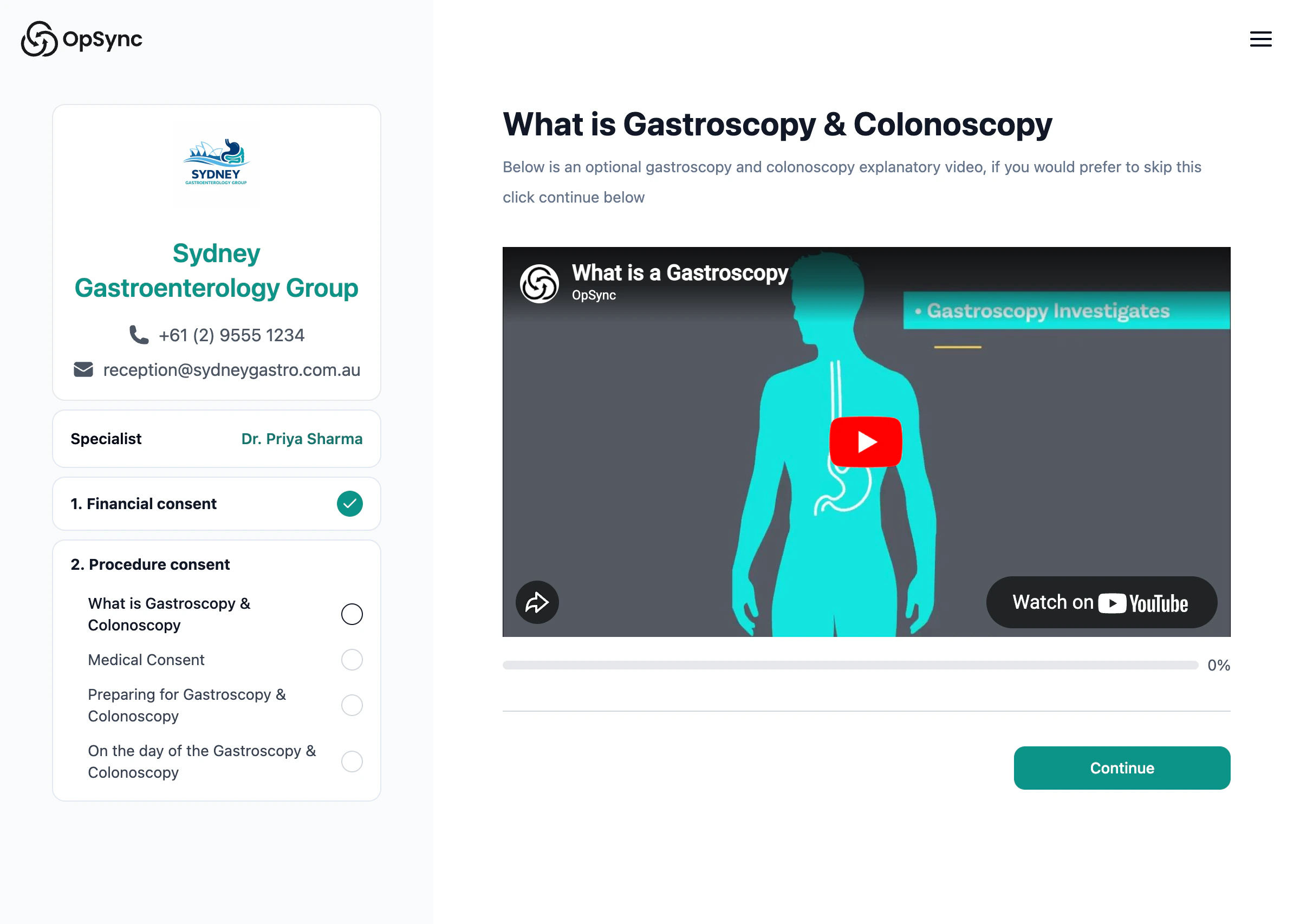
Patients must watch the entire video before proceeding — they cannot skip ahead.
Step 5: Booking complete
The booking is now complete and ready for the procedure.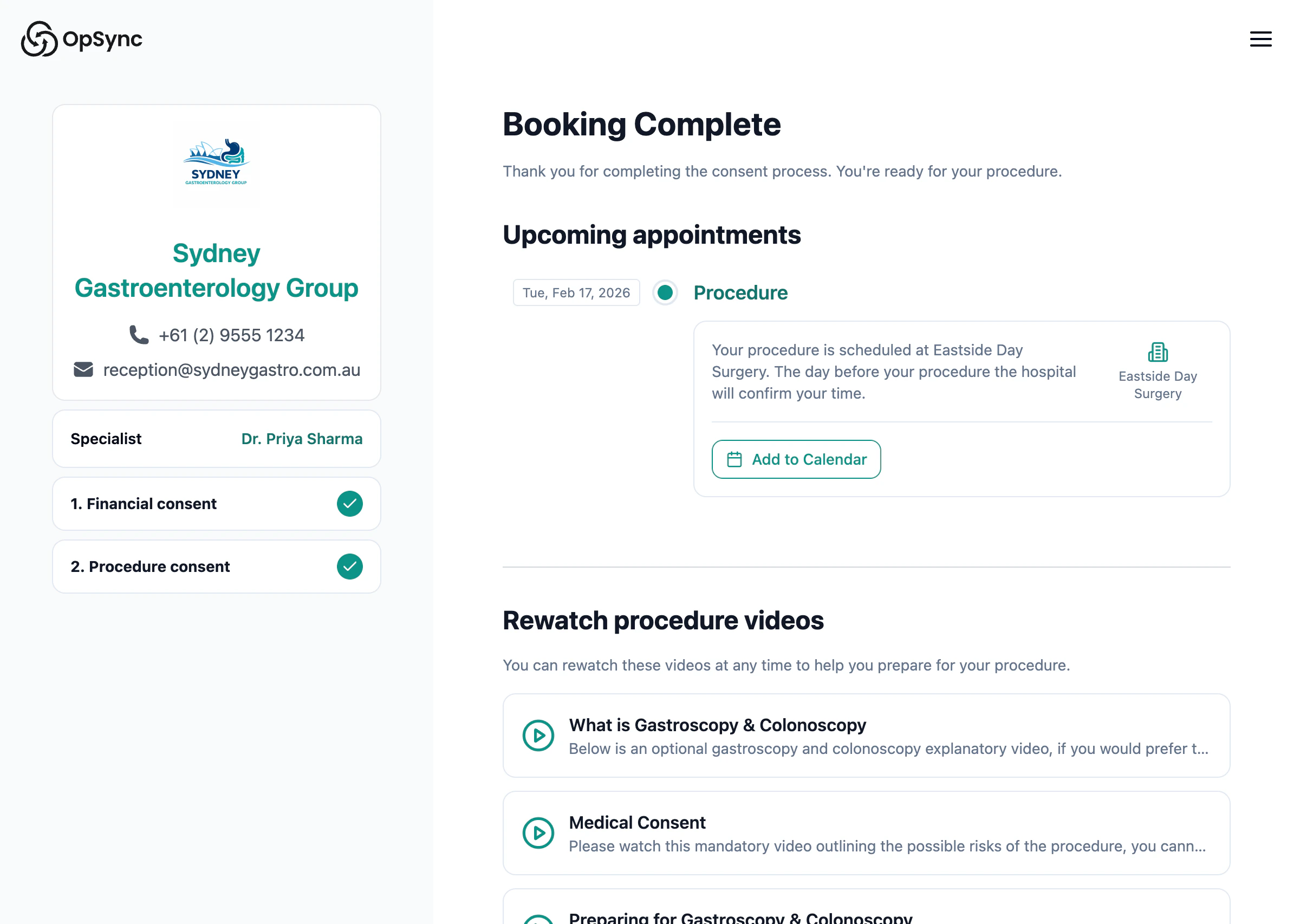
Statuses
| Status | When |
|---|---|
| Confirmed | Admin creates the booking |
| Consented | Patient completes both consents (done) |