

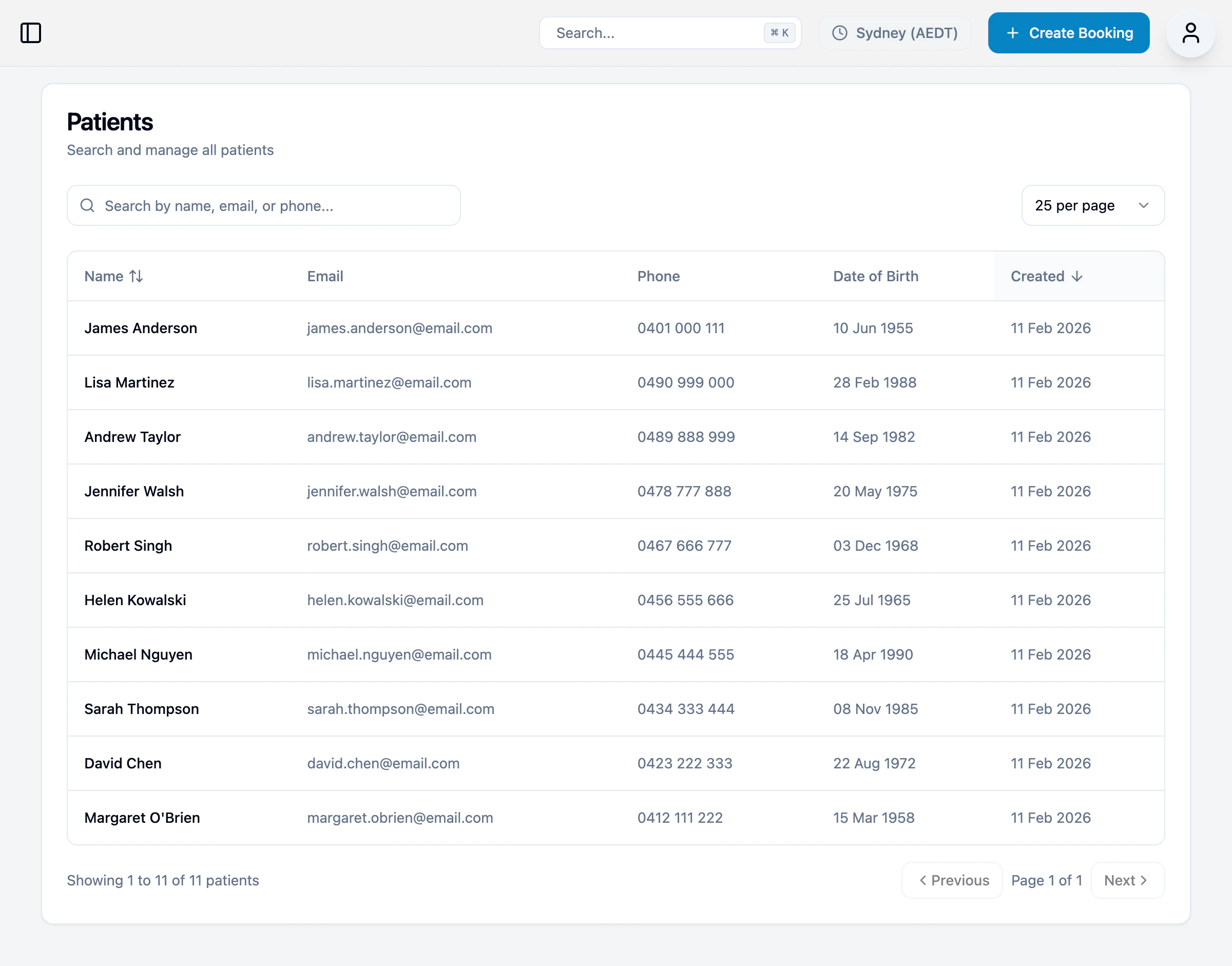
Finding patients
Use the search bar to find patients by:- Name
- Email address
- Phone number
| Column | Description |
|---|---|
| Name | Patient’s full name |
| Email address | |
| Phone | Mobile number |
| Date of Birth | Patient’s DOB |
| Created | When the patient record was created |
Patient detail page
Click on a patient to view their complete record.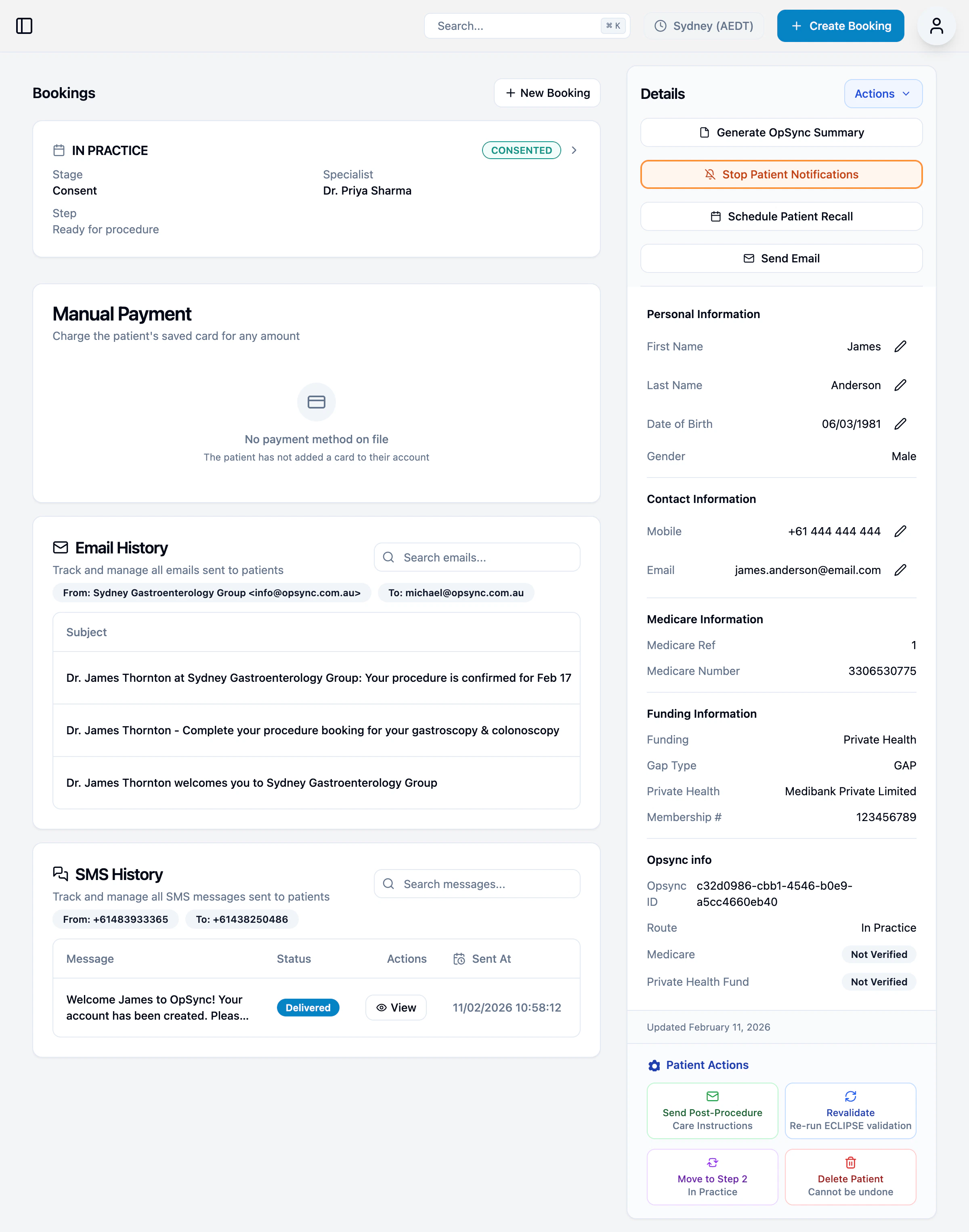
Booking Information
Shows the current booking status, type, specialist, and stage. Quick access to:- Create a new booking
- View full booking details
Manual Payment
Charge the patient’s saved card for any amount.Email History
View all emails sent to the patient:- Search by subject or content
- See sender and recipient
- View delivery status
SMS History
View all SMS messages sent to the patient:- Message content
- Delivery status
- Timestamp
Patient Details
Full patient information including:- Personal details (name, DOB, gender)
- Contact information (mobile, email)
- Medicare information (reference number, Medicare number)
- Funding information (health fund, gap type, membership number)
- OpSync ID
Actions
| Action | Description |
|---|---|
| Generate OpSync Summary | Create a summary document |
| Stop Patient Notifications | Pause all automated communications |
| Schedule Patient Recall | Set up a follow-up reminder |
| Send Email | Send a custom email to the patient |
| Send Post-Procedure Care Instructions | Email aftercare information |
| Revalidate | Re-run ECLIPSE validation |
| Move to Step 1 / In Practice | Change booking workflow |
| Delete Patient | Remove patient record (cannot be undone) |
Sending a custom email
- Click Send Email in the Actions menu
- Enter the subject and message
- Preview and send
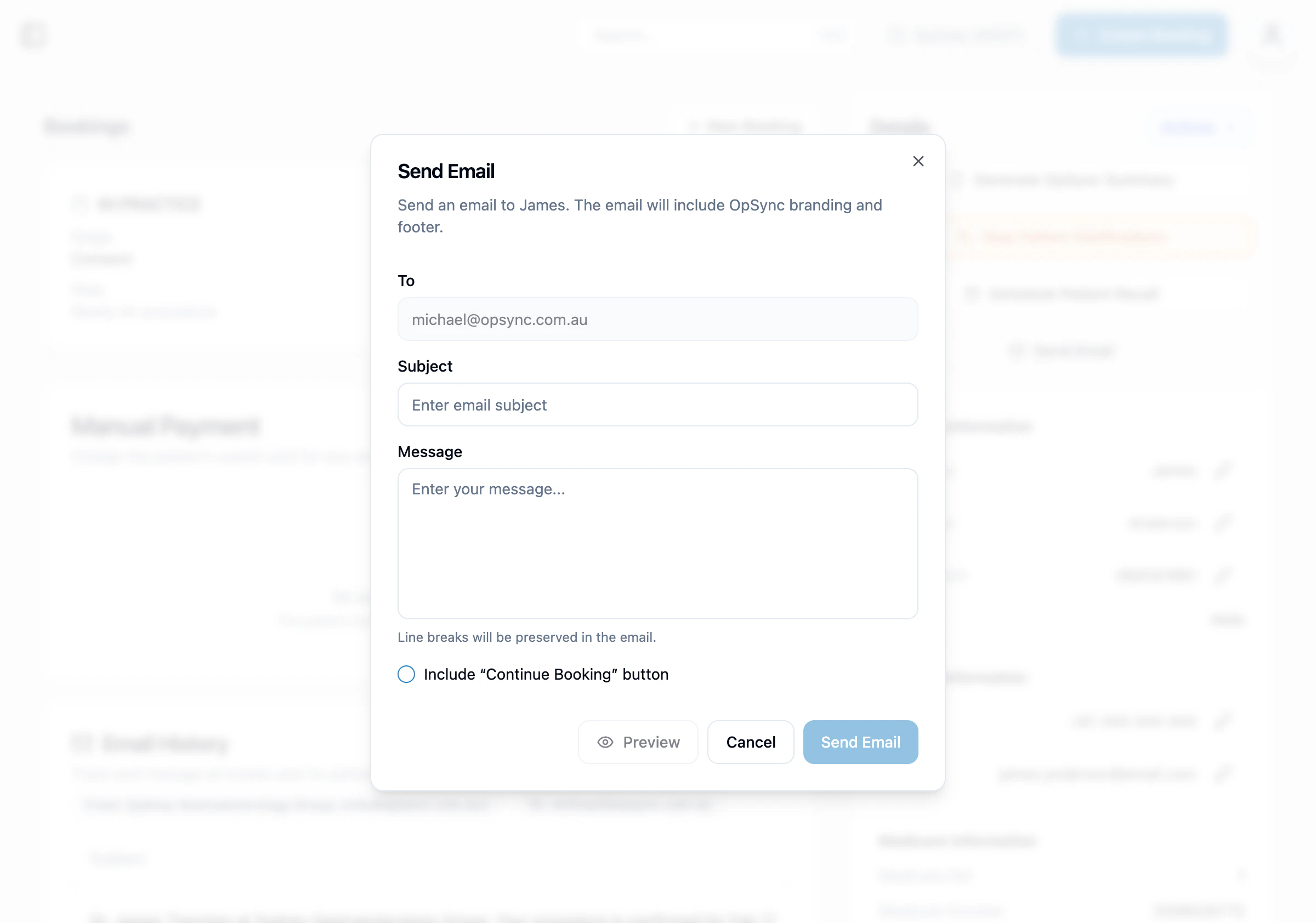
The email will include OpSync branding and your practice footer automatically.