

Availability settings are only used when Rapid Access is enabled.
Procedure Availability
Manage when each specialist can perform procedures at each location.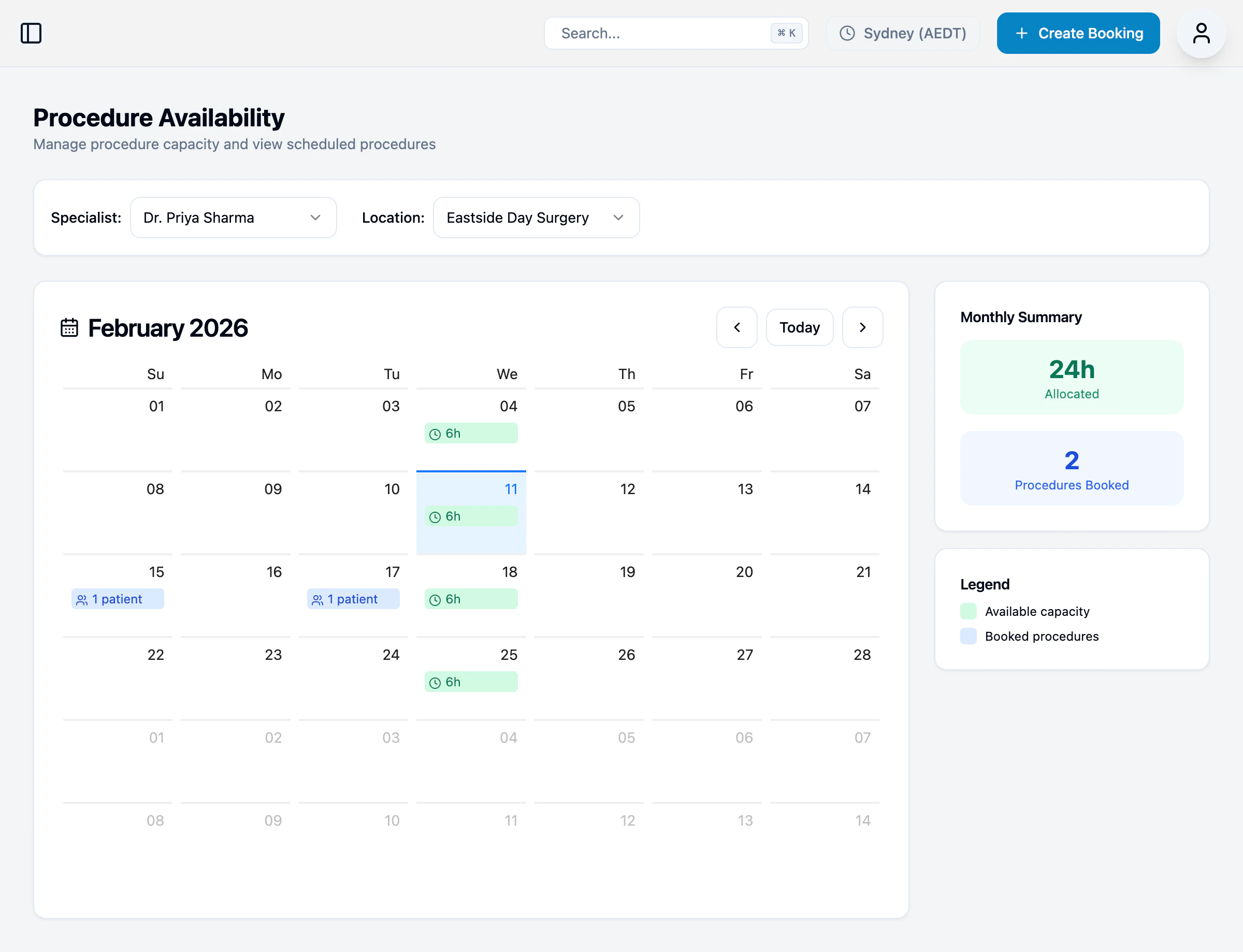
Viewing availability
- Select a Specialist
- Select a Location
- View the calendar showing allocated hours
- Green shading — Available capacity
- Patient icons — Booked procedures
- Monthly summary — Total allocated hours and procedures booked
Setting availability
Click on any day to manage availability for that date.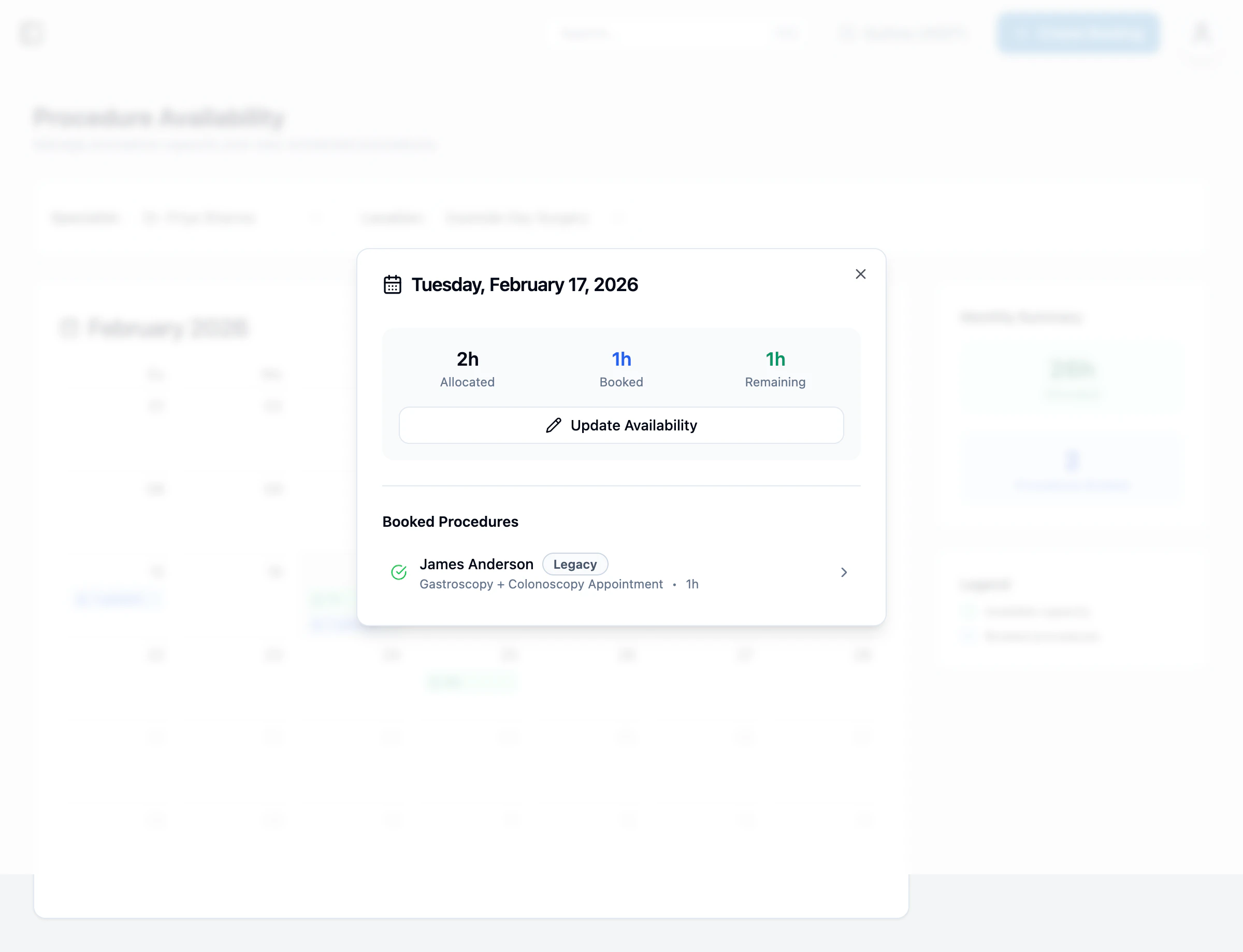
- Allocated — Total hours available
- Booked — Hours already scheduled
- Remaining — Available hours
- Booked Procedures — List of scheduled procedures
Consultation Availability
Consultation availability is only used when Rapid Access is enabled.
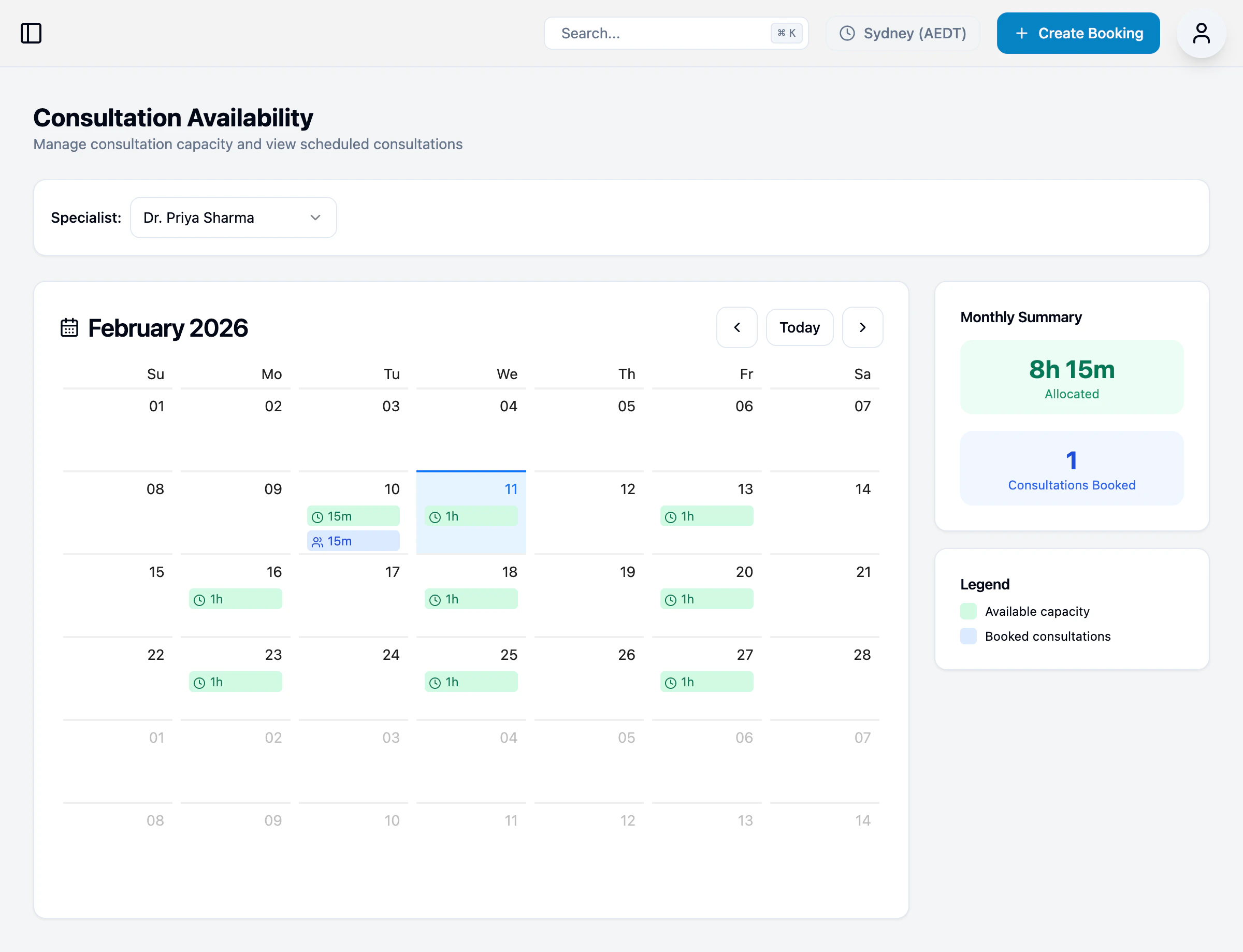
Viewing availability
- Select a Specialist
- View the calendar showing available slots
- Green shading — Available time slots
- Consultation icons — Booked consultations
- Monthly summary — Total allocated time and consultations booked
Setting availability
Click on any day to manage consultation slots.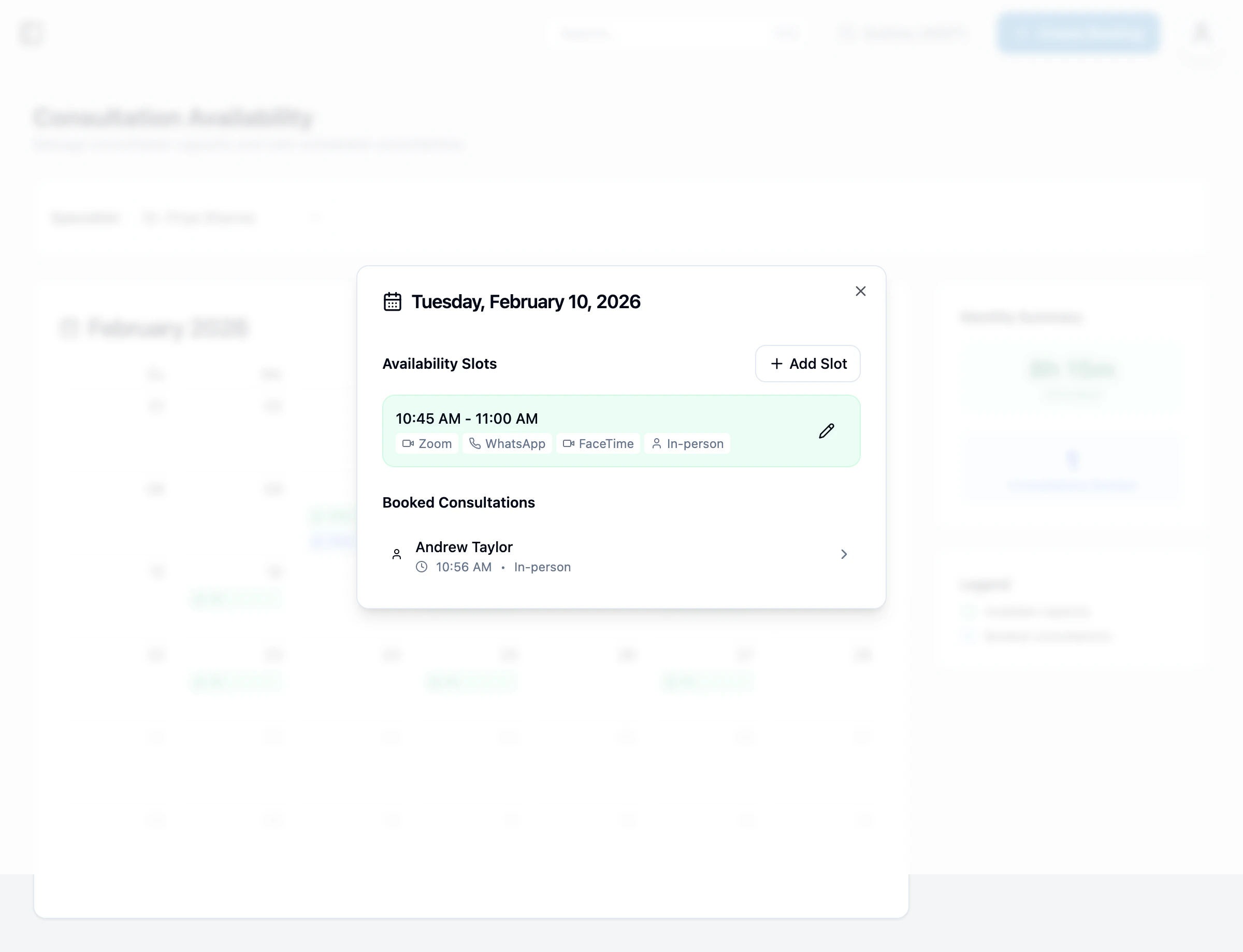
- Time range (e.g., 10:45 AM - 11:00 AM)
- Available methods (Zoom, WhatsApp, FaceTime, In-person)
- Booked consultations