

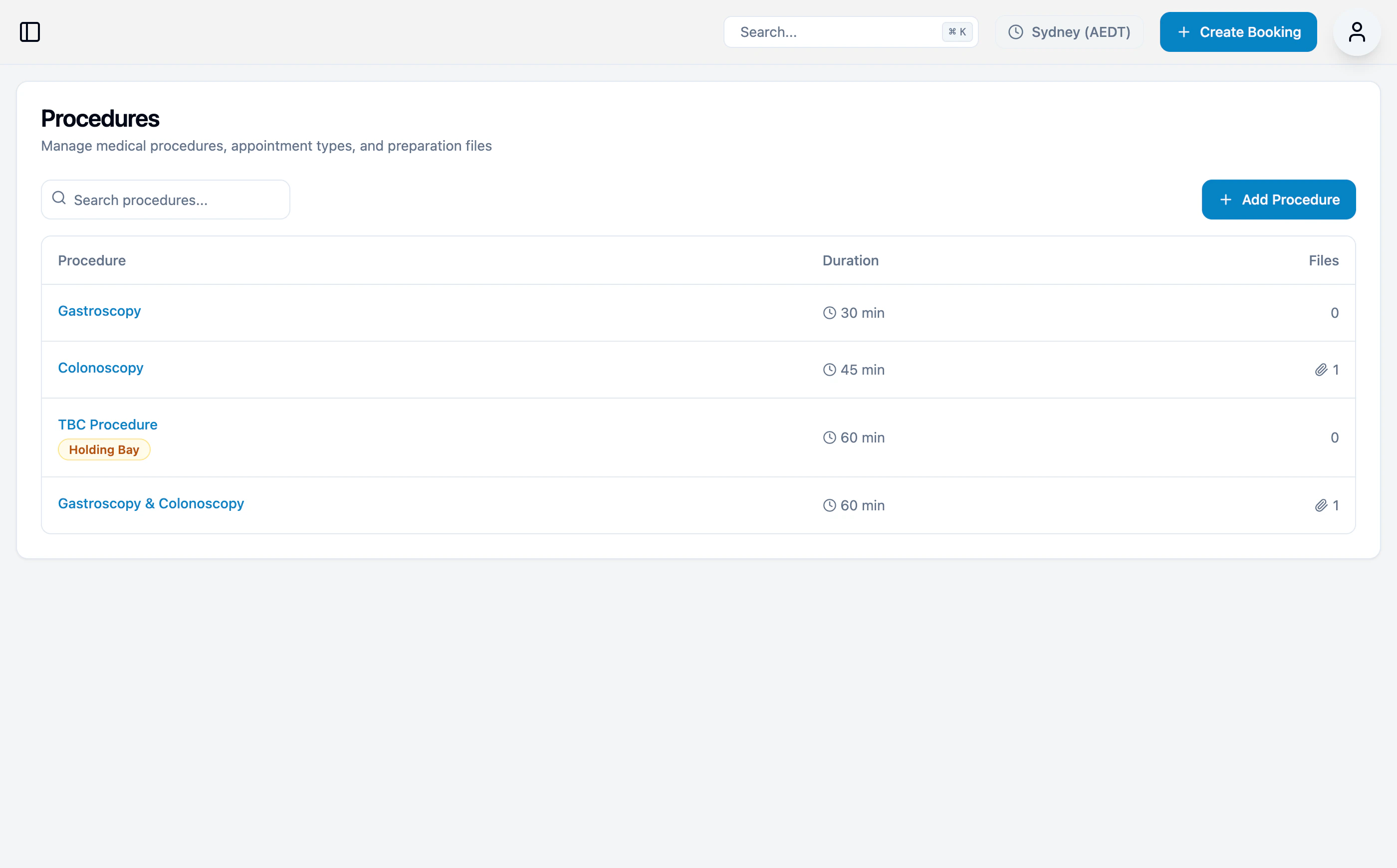
Procedure list
The procedures list shows all configured procedures with:- Procedure name (click to view details)
- Appointment duration
- Number of preparation files attached
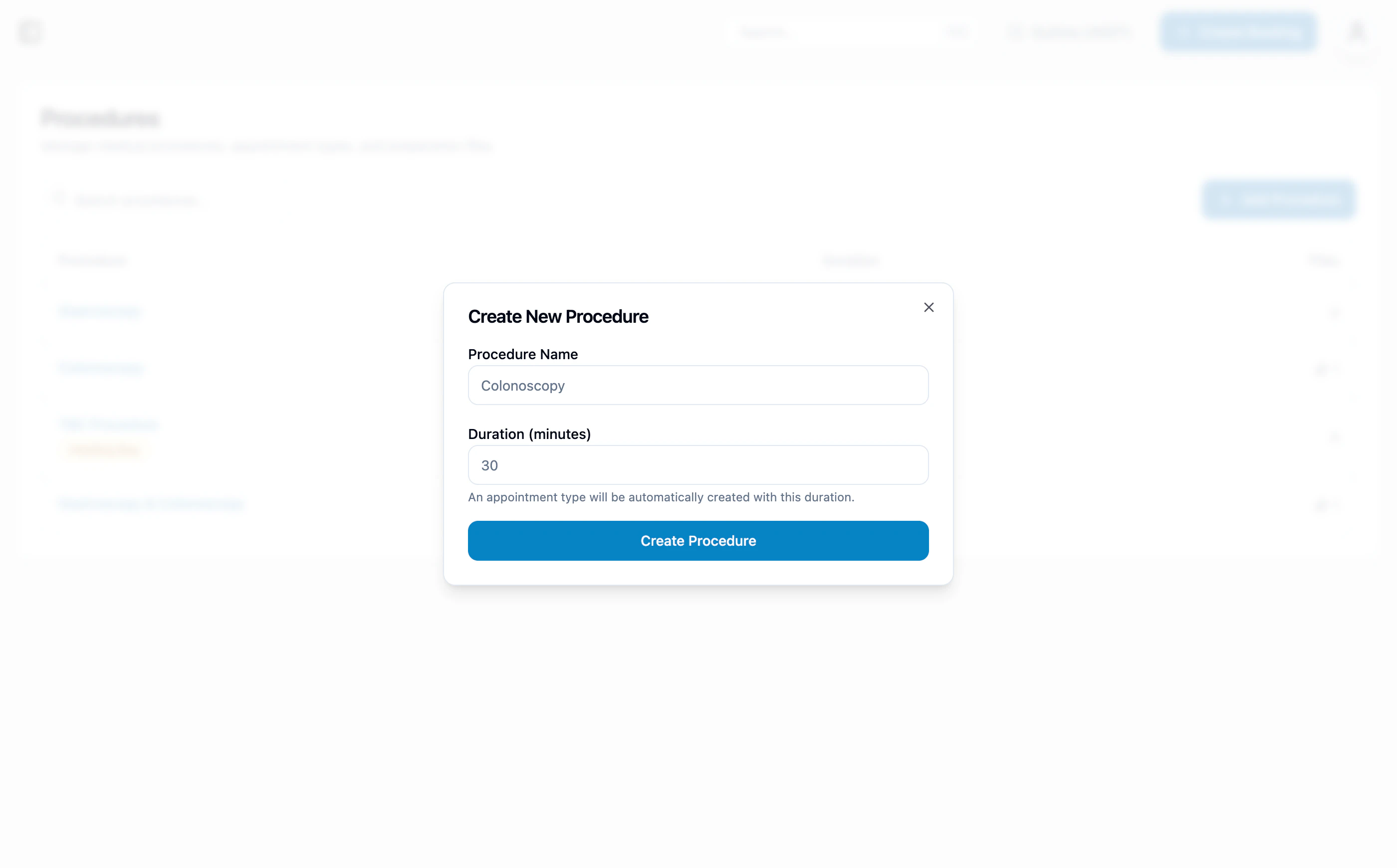
Adding a procedure
- Click + Add Procedure
- Enter procedure details:
- Procedure name
- Duration in minutes
- Click Create
Viewing procedure details
Click a procedure name to open the detail page.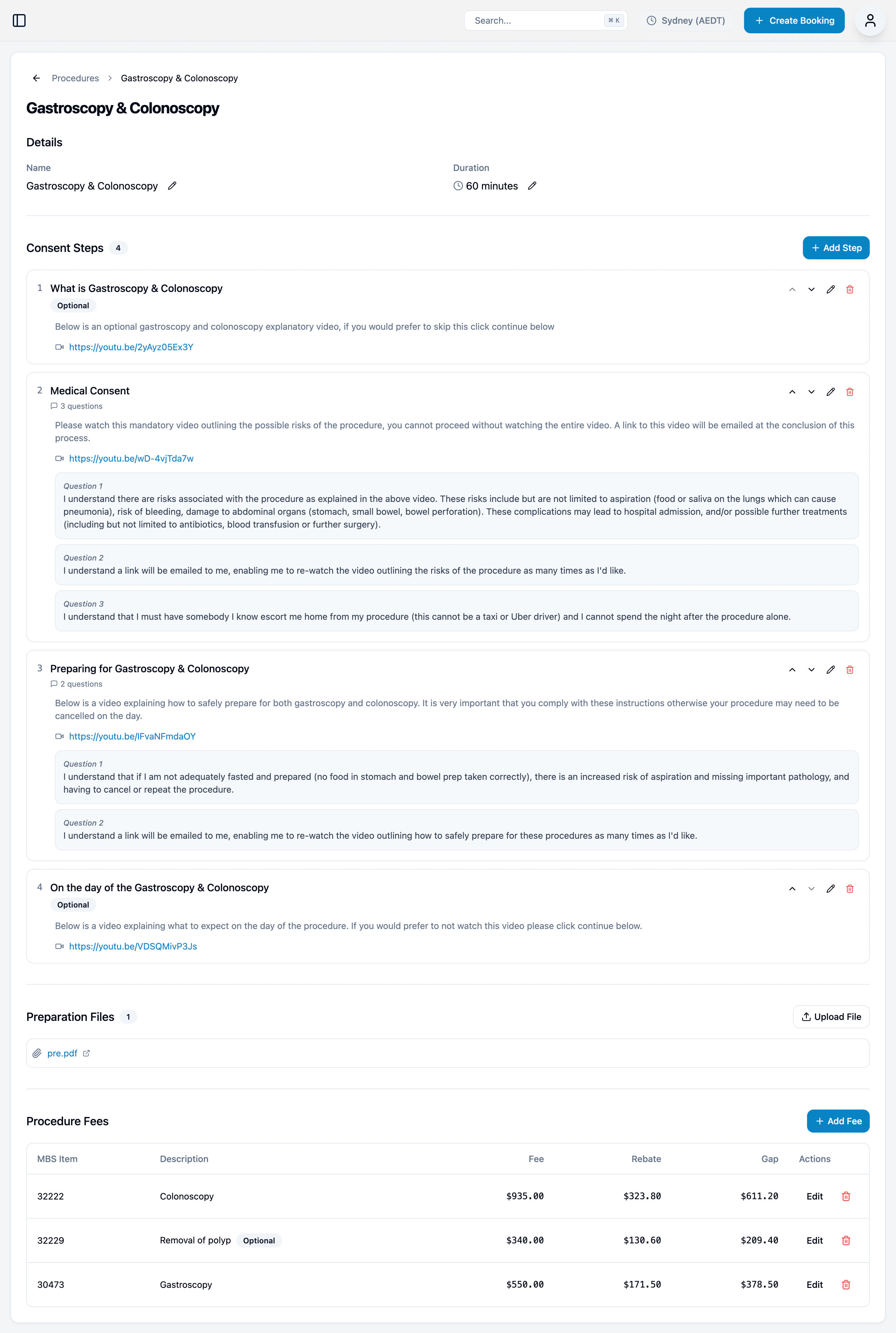
Details
- Procedure name (with edit option)
- Appointment duration and category
- Holding bay status
Consent Steps
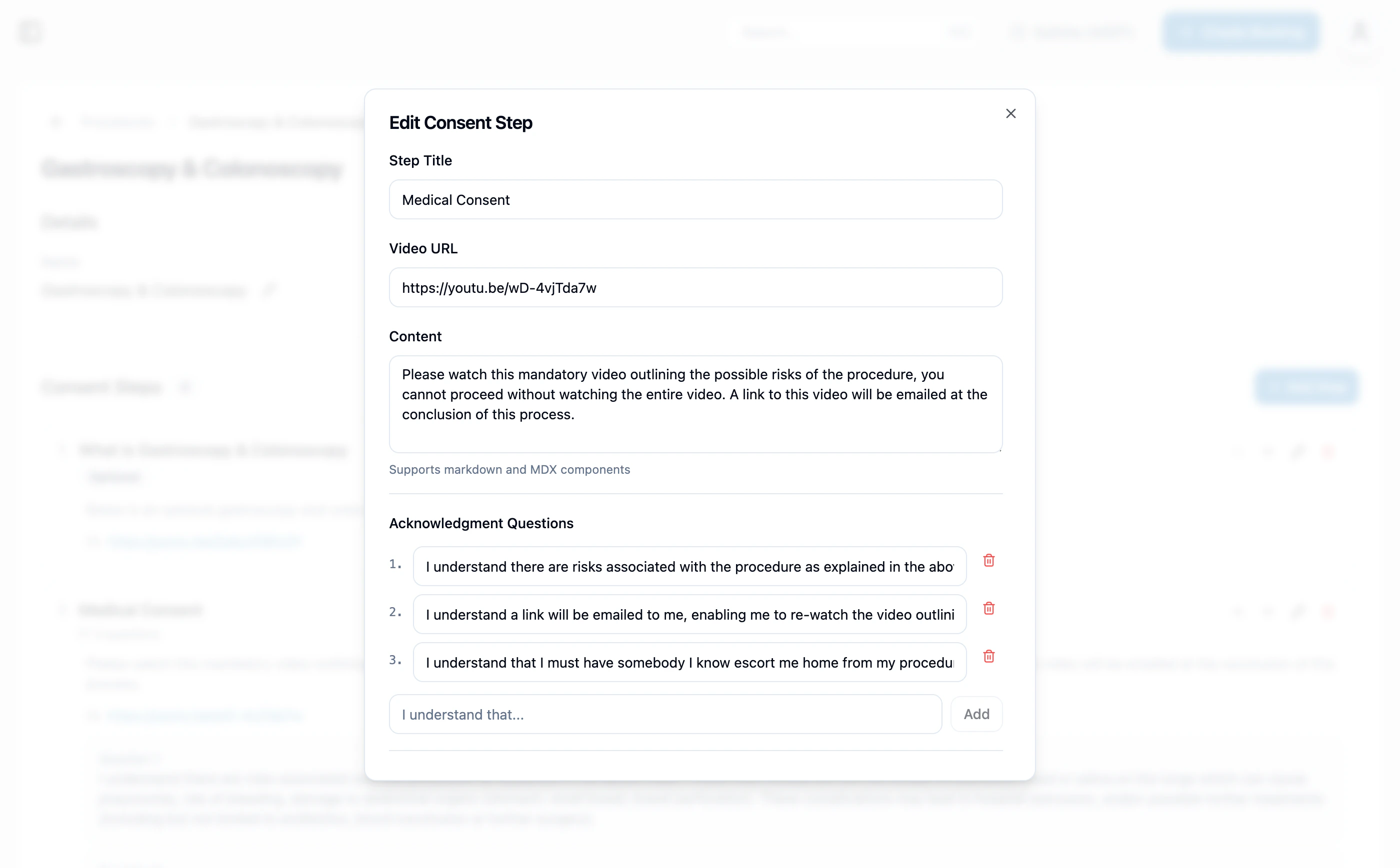
The consent steps patients complete during their procedure consent journey. Each step can include:- A title and description
- A video URL
- Questions the patient must acknowledge
- Optional flag (patient can skip the step)
Preparation Files
PDF attachments sent to patients as part of their procedure preparation (e.g., bowel prep instructions).Procedure Fees
MBS item fees associated with this procedure. Each fee shows:| Column | Description |
|---|---|
| MBS | Medicare item number |
| Description | What the item covers |
| Fee | Your fee for this item |
| Rebate | Medicare rebate amount |
| Gap | Out-of-pocket for patient (Fee minus Rebate) |
| Optional | Whether the item is optionally included |
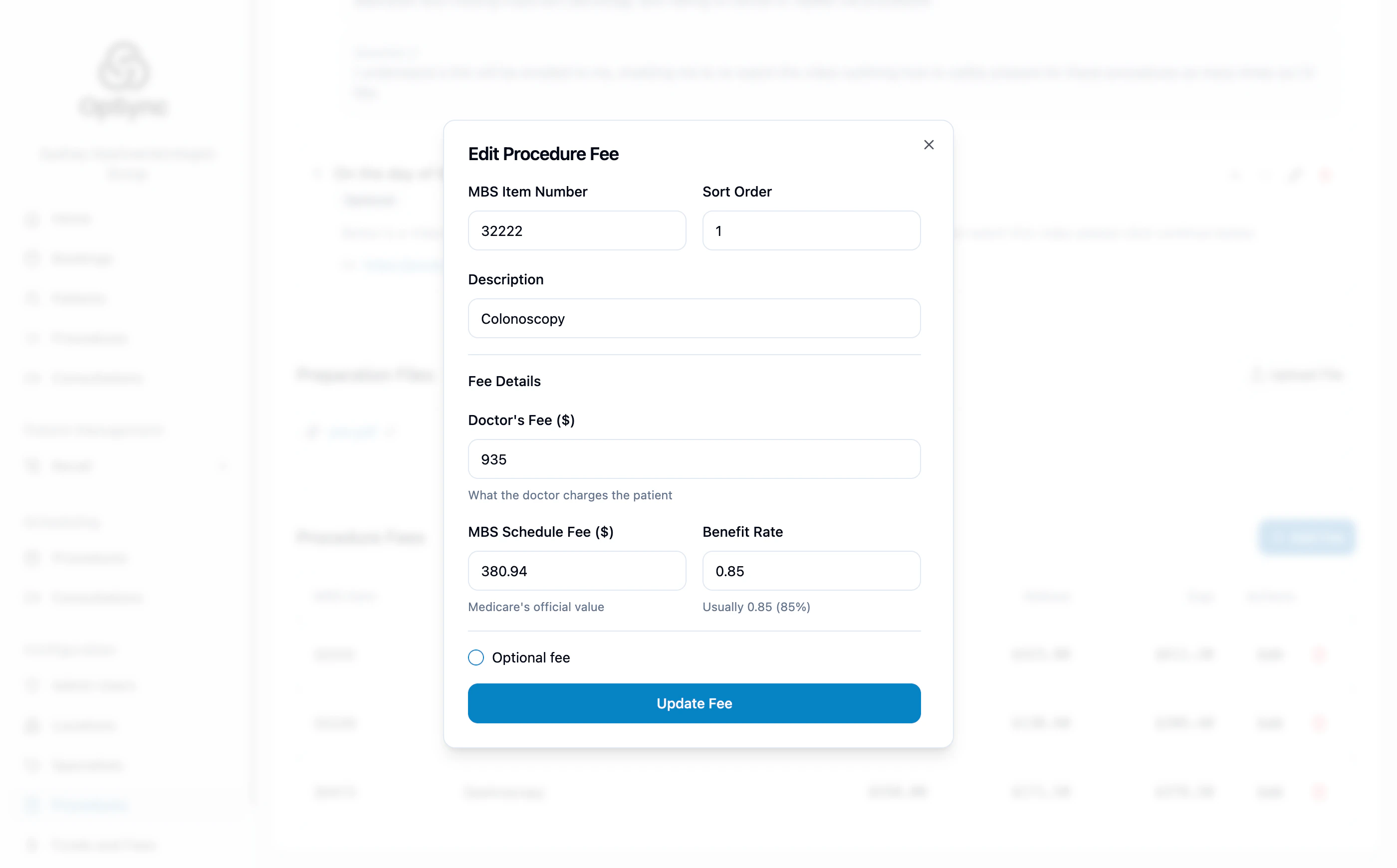
Editing a procedure
- Click the procedure name to open the detail page
- Click Edit next to the field you want to update (name, duration, consent steps, fees)
- Save your changes